Topics
Topics in Delve function like intelligent keyword tracking — but with more nuance than a simple mention count. Think of Topics as a way to track specific names, products, technologies, or themes across your coverage. If a term appears in an article, Delve will identify and analyze it. Even better, Delve understands context — so it’s not just matching exact strings, it’s interpreting meaning.
How to Access Topics
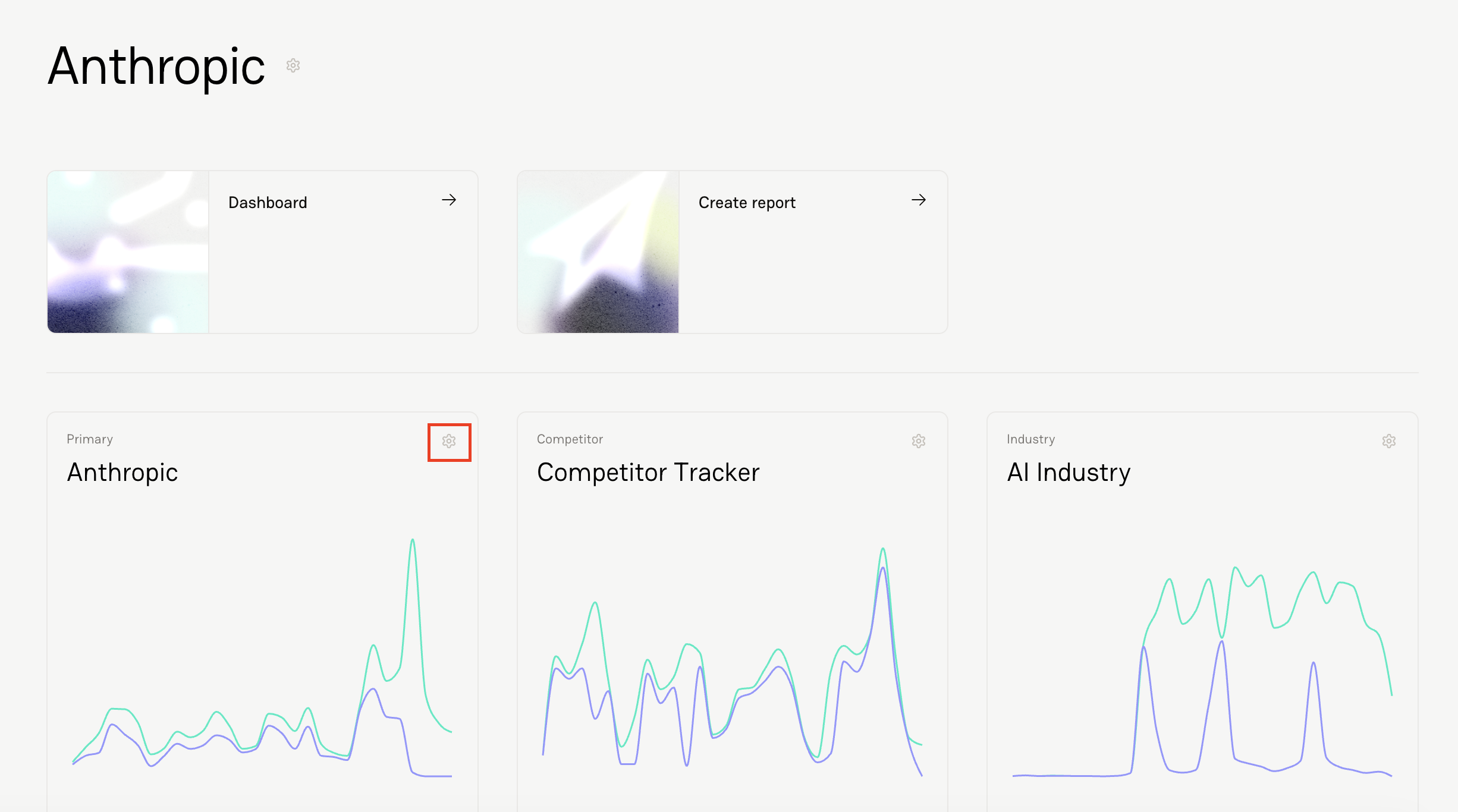
Click the gear icon next to the tracker you’re working on.
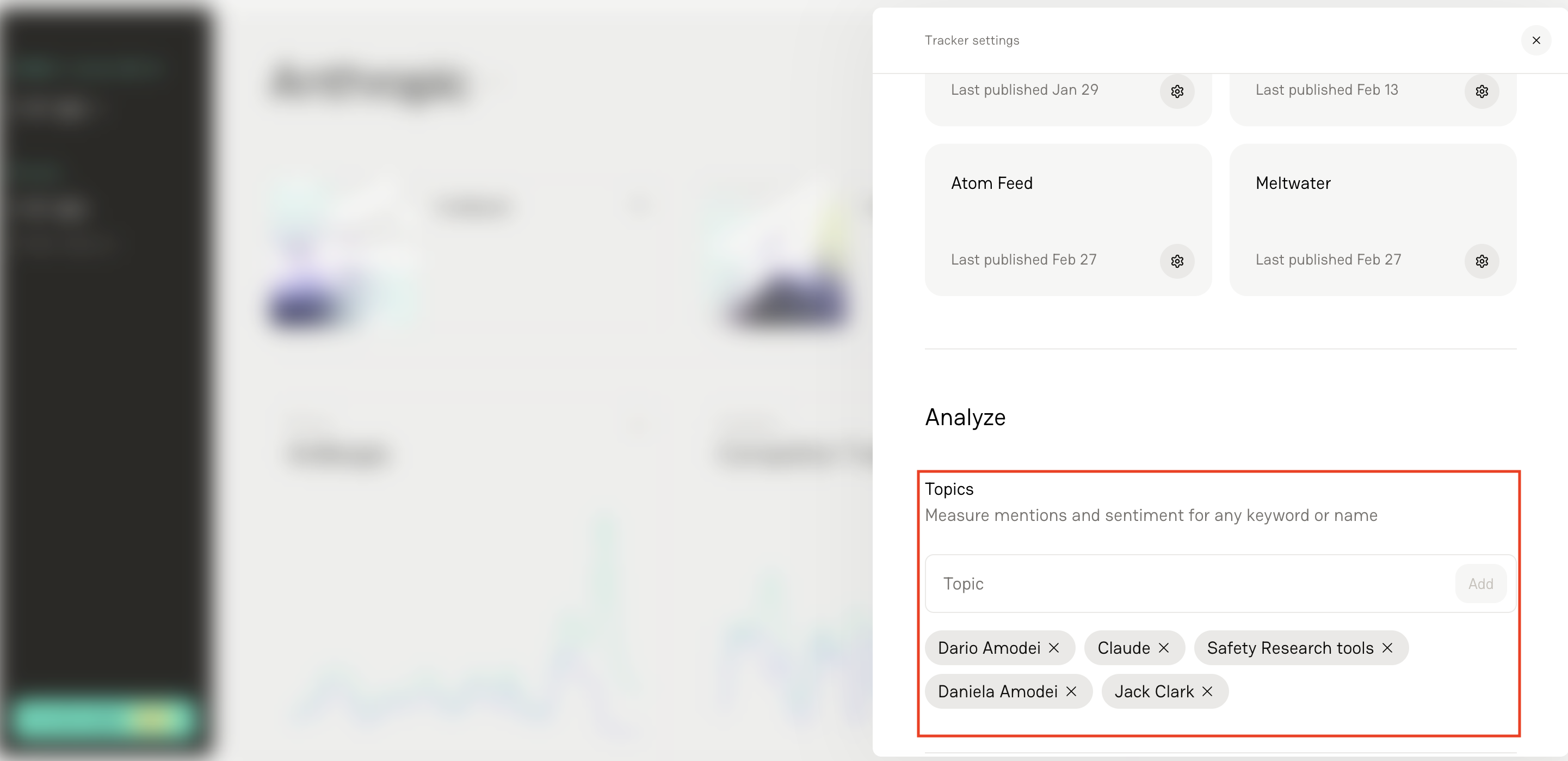
Navigate to Topics.
Input the keywords and phrases that correspond to your tracker.
What Makes Delve Topics Different
Most tools simply count mentions. Delve goes further. For each Topic, Delve analyzes:
How often it appears
The average sentiment associated with those mentions
This creates much deeper insight. For example, an article overall might be positive, but the sentiment surrounding a specific executive quoted in the article could be negative.
Delve captures that nuance — something many traditional monitoring tools miss. Instead of just asking “How often are we mentioned?” You can ask “How are we being talked about — and in what context?”
FAQs
1. Do Topics only match exact phrases?
No. Single-word Topics require an exact whole-word match, but multi-word Topics can match clear partial references, acronyms, or close variants — as long as the context clearly refers to the same subject.
2. What should I create Topics for?
Common use cases include executives, products, technologies, campaign names, competitors, or key industry themes.
3. Is this just a mention count?
No. In addition to tracking frequency, Delve calculates the average sentiment associated with each Topic.
4. Can a Topic have different sentiment than the overall article?
Yes — and this is where Delve stands out. An article may be positive overall but negative about a specific executive or product. Delve captures that distinction.
5. Can I add more Topics later?
Absolutely. Topics can be added/removed anytime as your priorities evolve.