Publication Lists
Publication Lists give you more control over where coverage is coming from — but they’re flexible by design. One of the most common questions we get is: “Will a publication list limit the coverage coming into my project?” The answer is: it depends on how you configure it. By default, publication lists do not restrict coverage. However, you can set them up to control or narrow the sources being included. Let’s walk through how they work.
Creating a Publication List
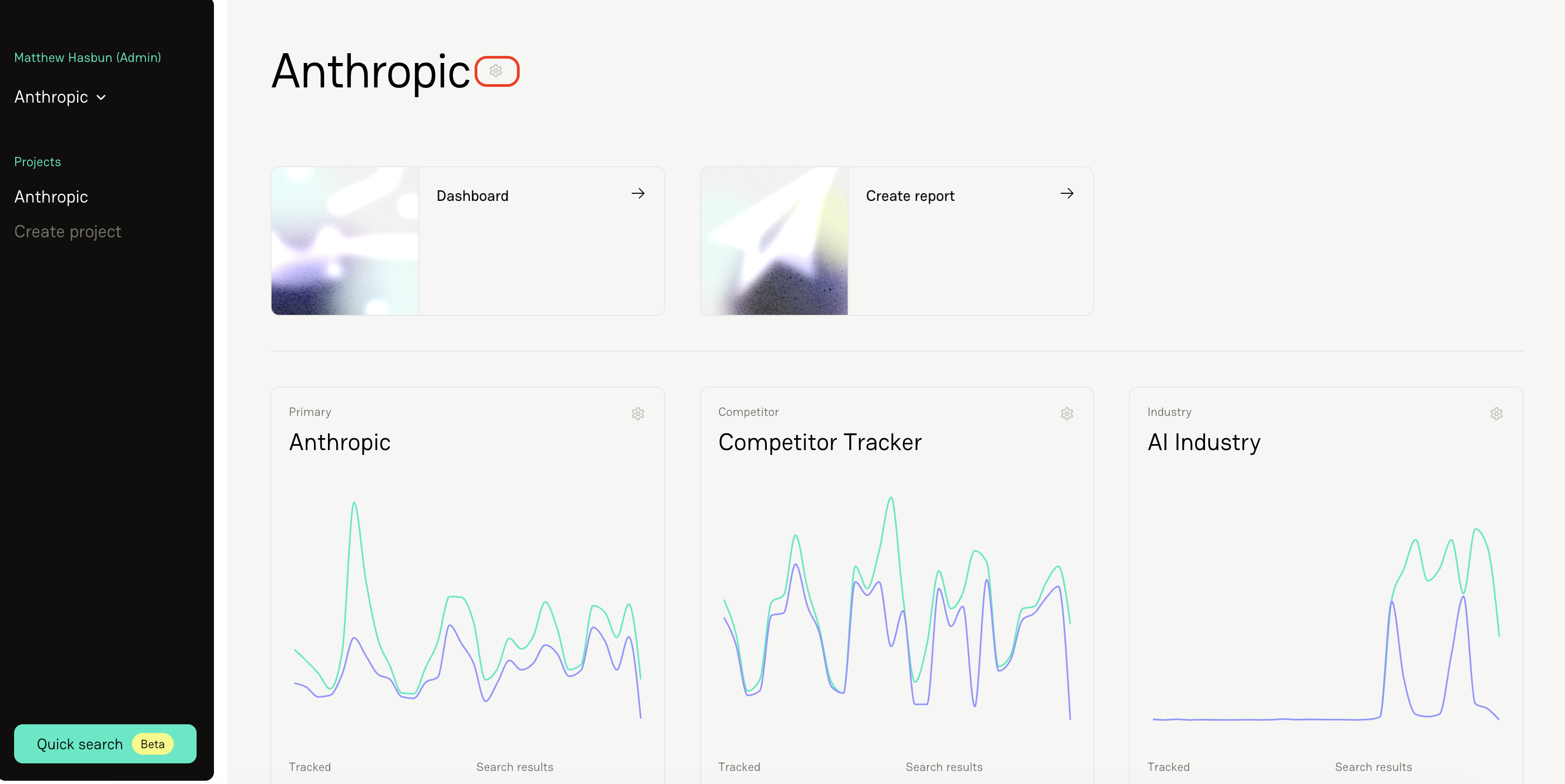
Open your Project Settings.
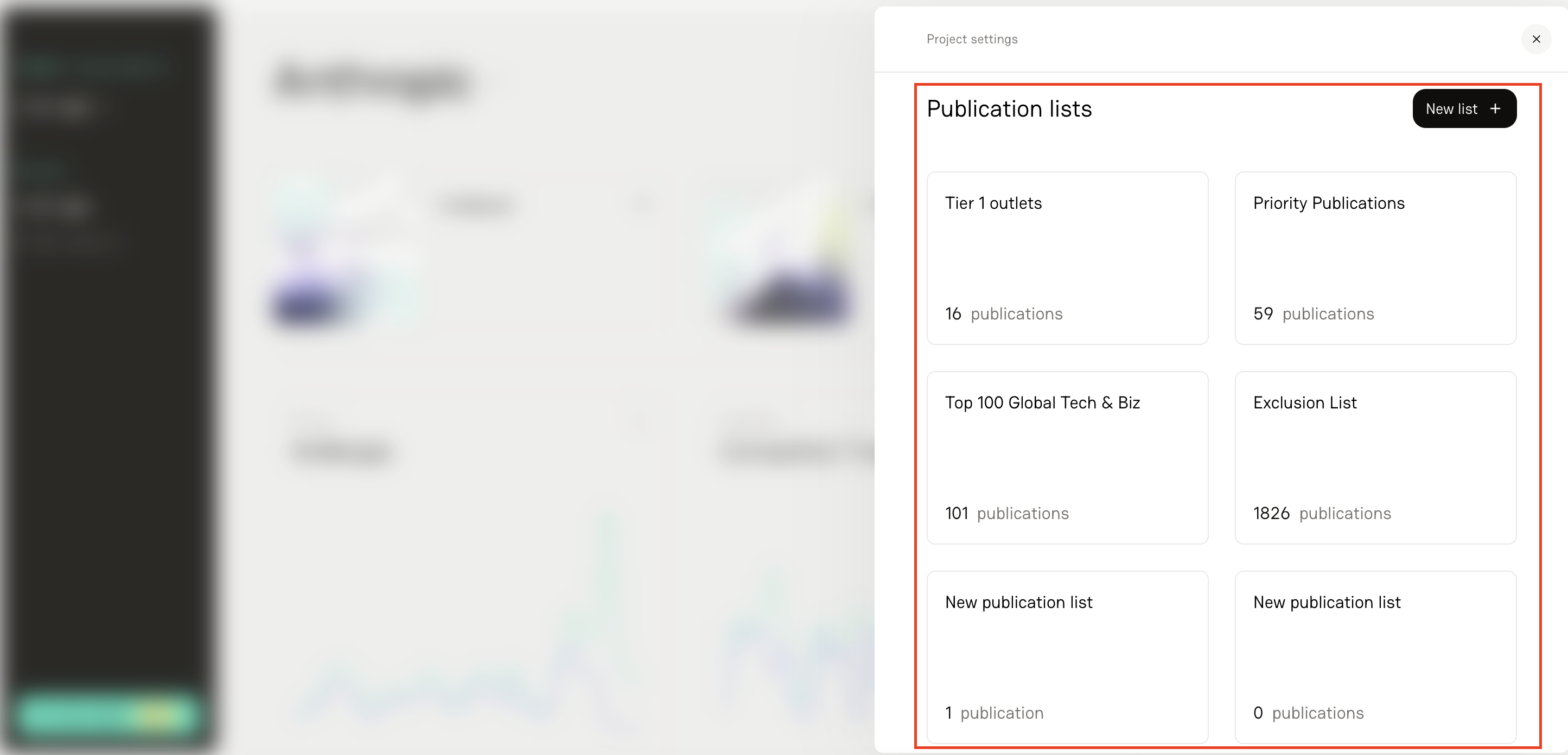
Navigate to Publication Lists in your project.
Click New List.
Name your list (for example, “Tier 1 Media” or “Trade Publications”).
Click Update to save.
Adding Publications Manually
To add publications:
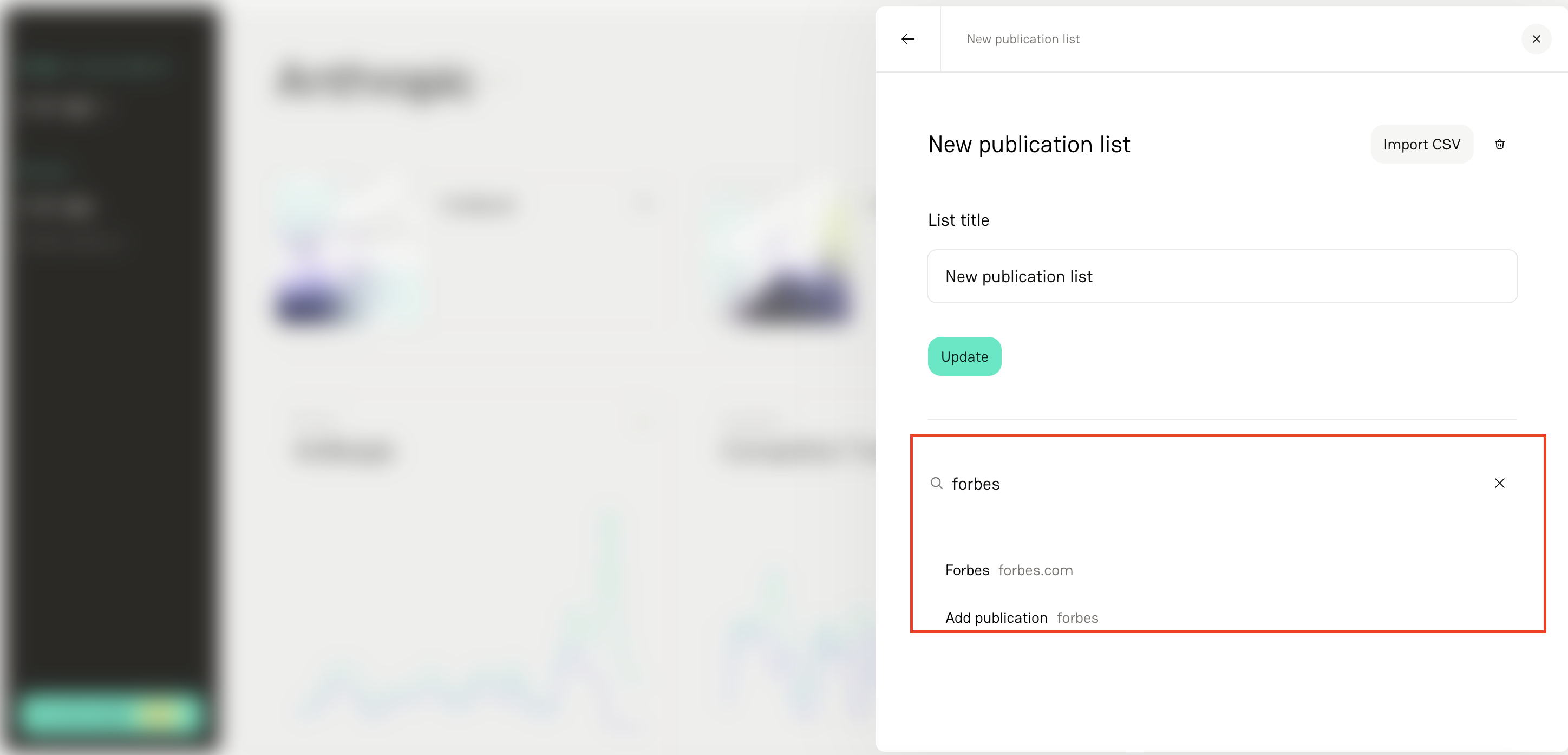
Use the search bar to find a publication.
Click Add to include it in your list.
If needed, click the X symbol next to the publication to remove it.
Importing a Publication List (Recommended for Larger Lists)
For bulk uploads:
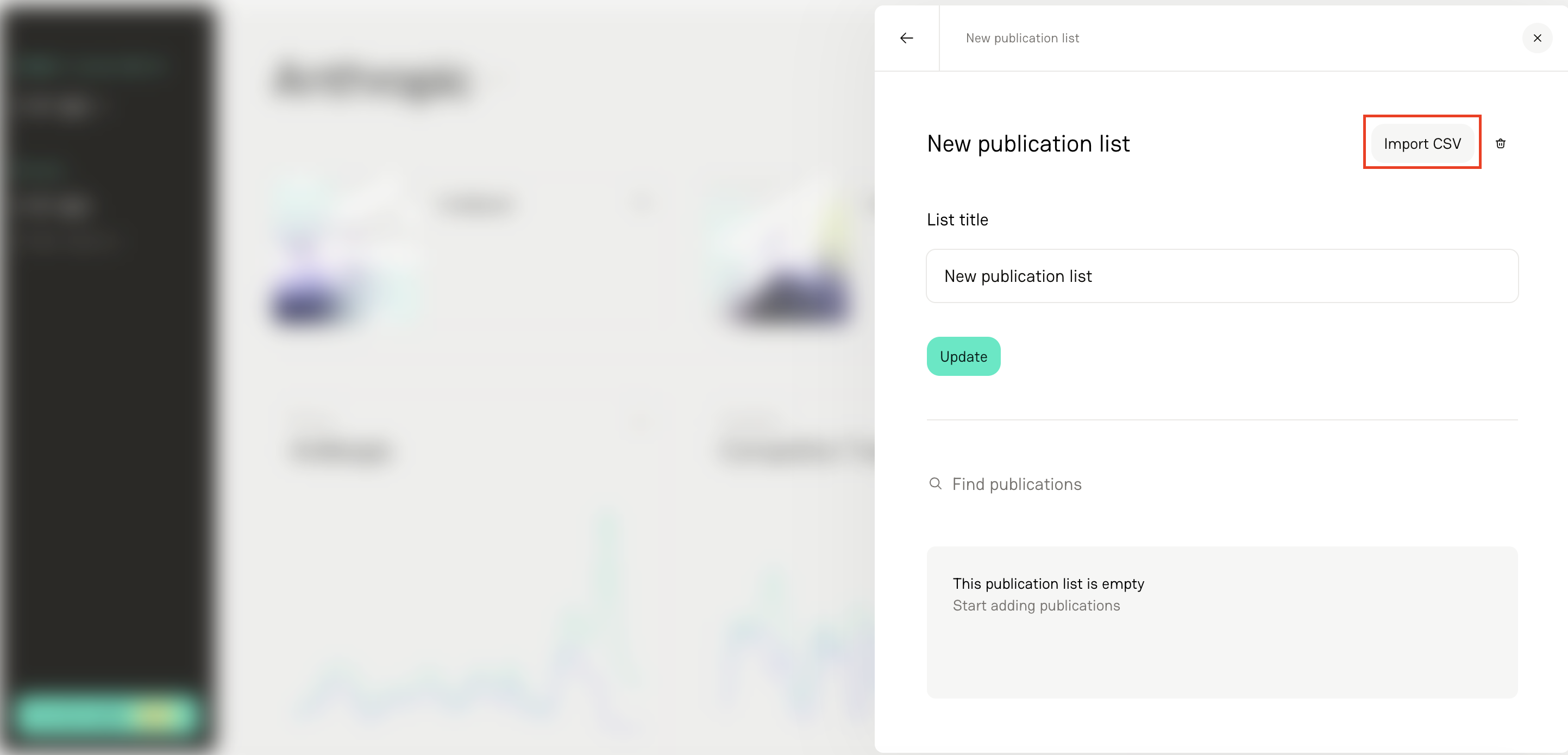
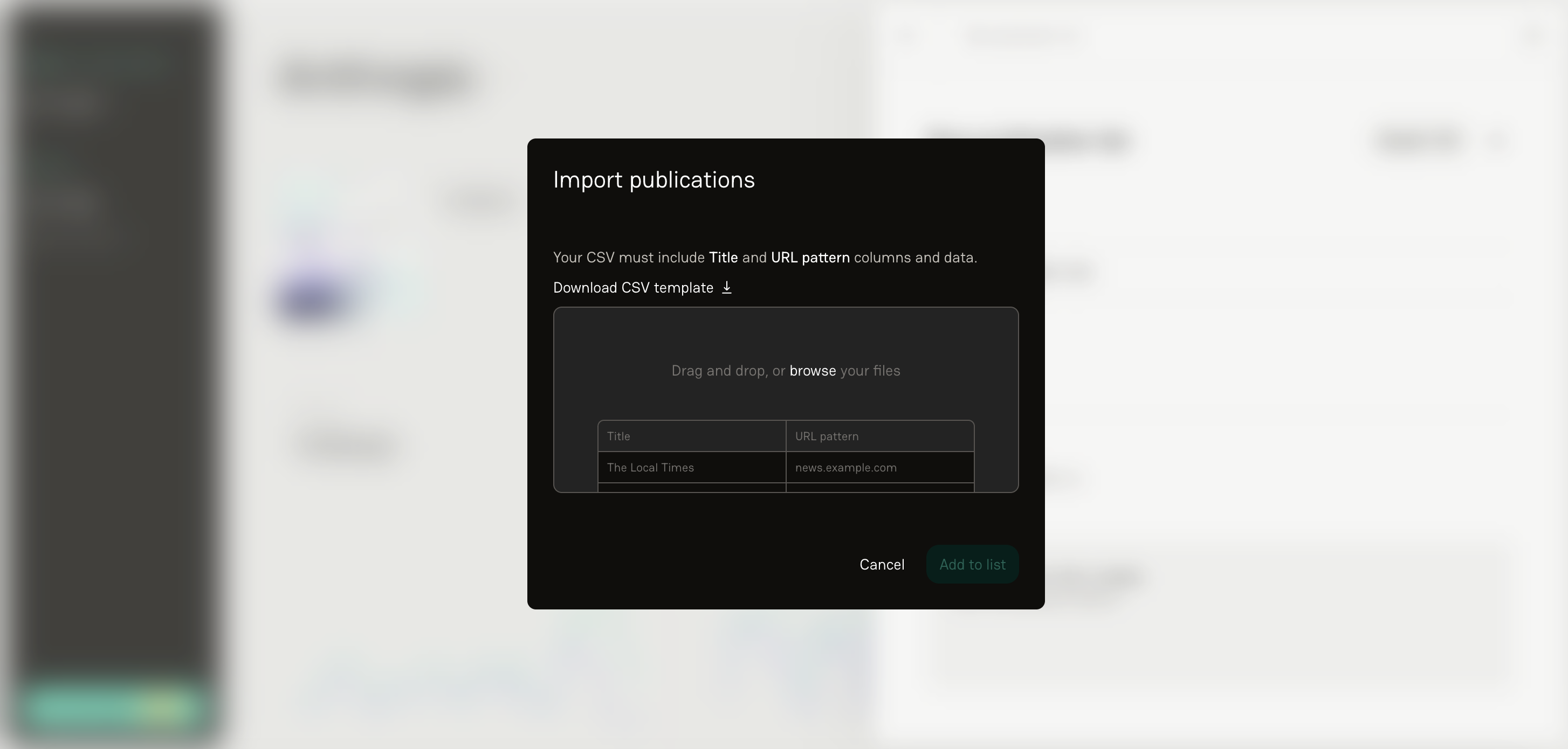
Select Import CSV
Download the import template provided in Delve.
Column 1 Header: Title (e.g., TechCrunch)
Column 2 Header: URL pattern (e.g., techcrunch.com)
You do not need to include https:// — just the domain or URL pattern.
Once your CSV is ready, upload it into Delve to quickly populate your list.
FAQs
1. Do publication lists automatically restrict my coverage?
No — not by default. Coverage will continue to flow in unless you specifically configure your tracker to allow or block a publication list as a filter.
2. What format does the import file need to be in?
A CSV file with two columns:
Title
URL pattern (no https:// required)
3. What happens if I remove a publication from a list?
It will no longer be included in that specific list. How that impacts coverage depends on how your tracker is configured.
4. Should I manually add publications or import them?
If you’re adding just a few, manual works fine. For larger media lists, importing via CSV is much faster and cleaner.