Key Messages
Key Messages are one of the most powerful and nuanced features in Delve.
In the “old world” of media monitoring, tracking key messages usually meant building complicated Boolean searches. You’d string together keywords and hope it roughly matched what you meant. With Delve, you can write your key messages in natural language, as full sentences. Delve then interprets whether the article actually reflects that message — not just whether it contains a few matching words.
How to Access Key Messages
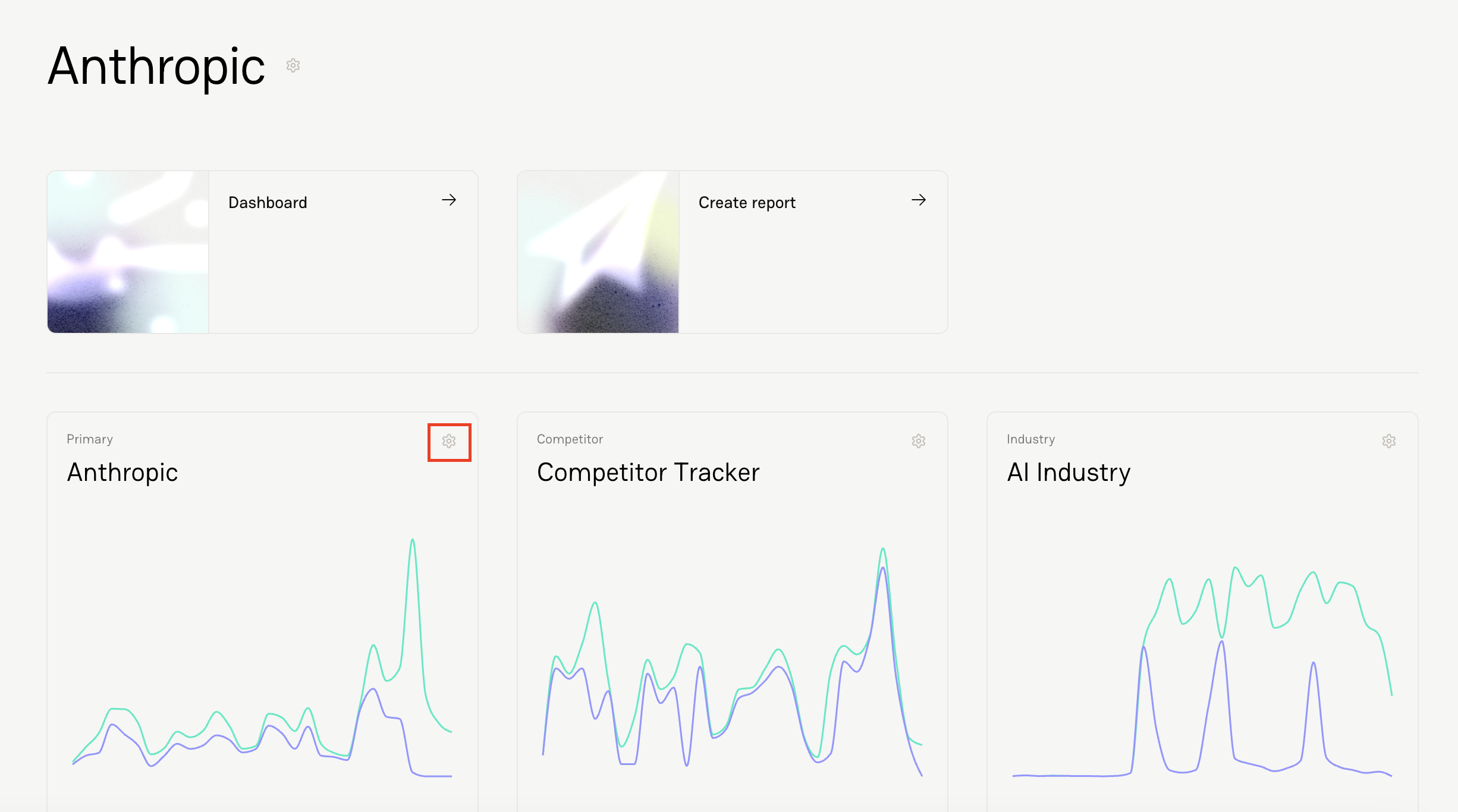
Click the gear icon for your Primary Tracker.
Navigate to the Key Messages section.
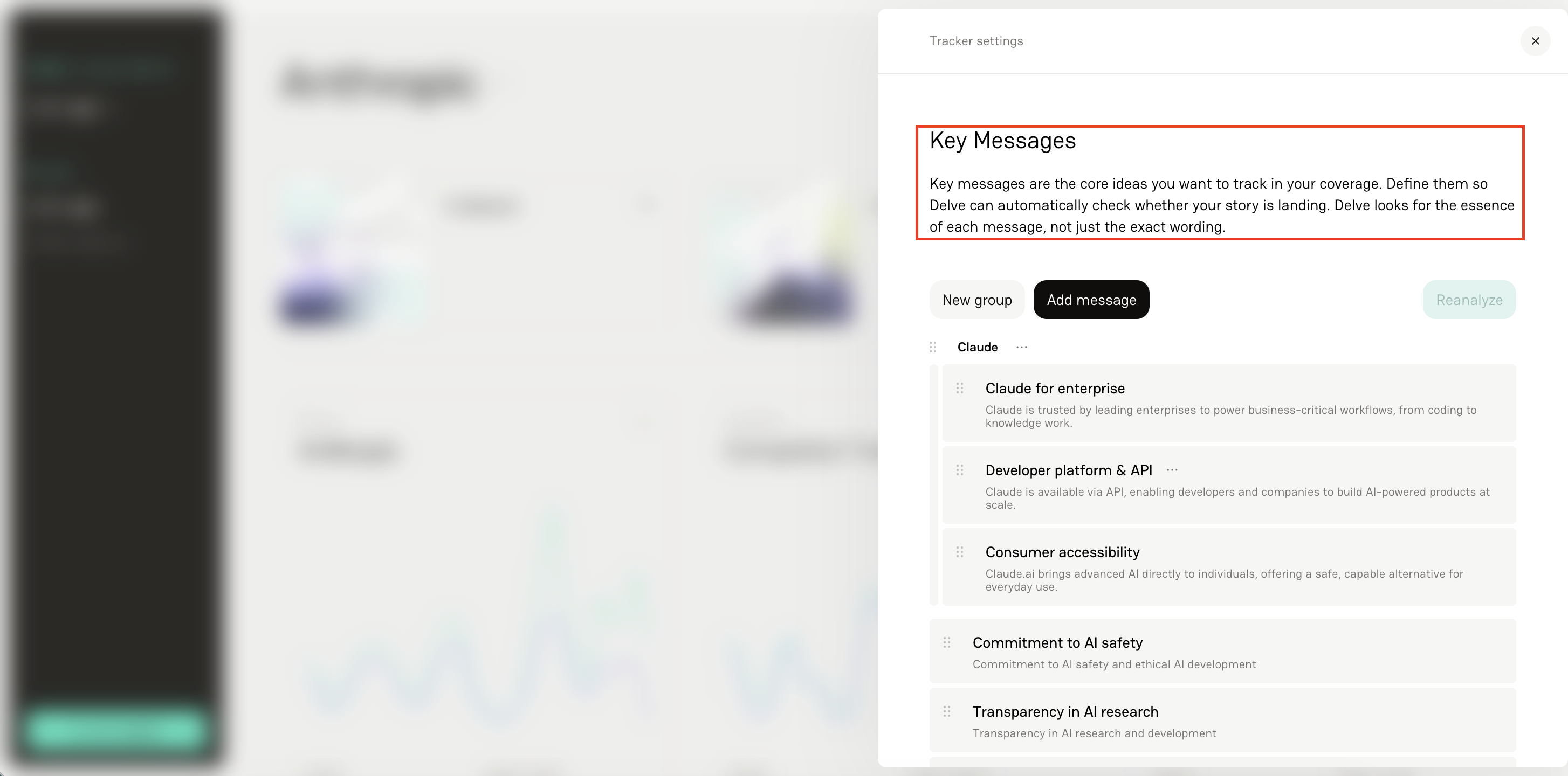
How Key Messages Work
Instead of keyword matching, you:
Title your key message.
Write out your key message in full.
Delve sends the full article text to the analysis.
The analysis determines whether the message is present.
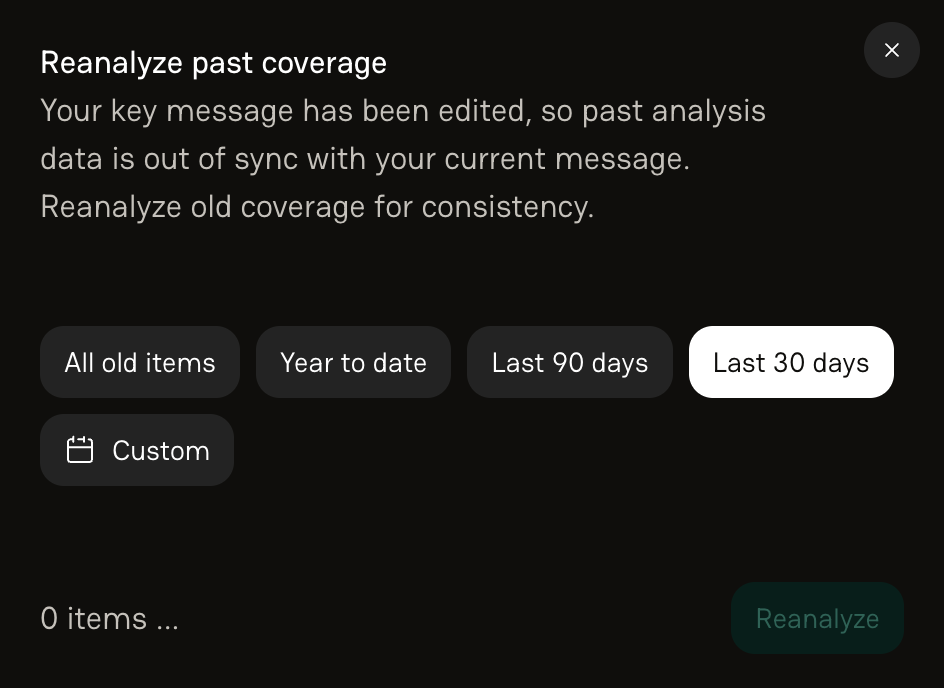
Important: If you edit or add a new Key Message, you can reanalyze historical coverage to include the new message in the analysis. Once updated, you can choose to apply those changes to past coverage. Please note that reanalyzing past coverage counts towards your monthly tracked item allotment.
Crafting Strong Key Messages
The more clearly you define your message, the better your analysis. Strong examples include:
“Positioned as an AI-powered platform purpose-built for finance teams.”
“Recognized as a leader in ethical AI research and safety.”
“Framed as a cost-saving solution for enterprise IT departments.”
This allows you to answer questions like:
Are journalists actually repeating our positioning?
Is our messaging landing the way we intended?
Is it being covered positively or negatively?
Organizing Messages with Key Message Groups
As your messaging strategy grows, you may find that certain Key Messages naturally belong together.
That's where Key Message Groups come in.
Groups allow you to organize multiple related Key Messages under a larger messaging pillar, campaign theme, or strategic initiative.
For example, you might have several messages focused on a single product, such as:
Acme improves productivity
Acme helps users learn faster
Acme is the preferred assistant for everyday tasks
Individually, Delve will continue evaluating each message on its own. But when those messages are placed into a group, Delve can also measure pull-through for the group as a whole.
This makes it easier to answer broader questions like:
Are our product messages landing overall?
Which messaging pillars are performing best?
How effectively are we communicating a specific strategic theme?
Creating a Group
To create a group:
Click New Group
Give the group a name
Drag and drop existing Key Messages into the group
You can also:
Add new Key Messages directly within a group
Reorder messages using drag-and-drop
Move messages between groups as your strategy evolves
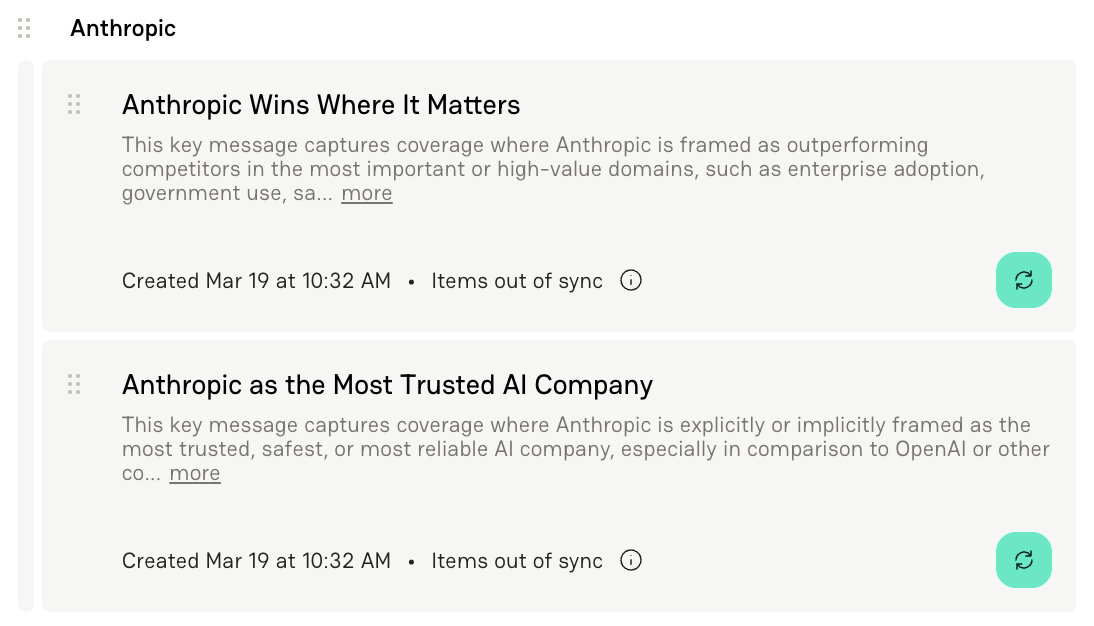
How Groups Appear in Delve
Groups are visible throughout the platform.
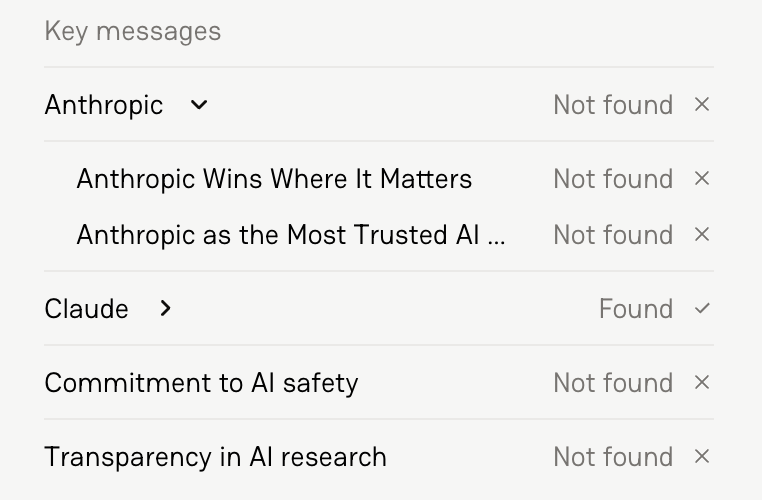
In article detail views:
Groups appear as expandable sections
You can see which individual messages were found and which were not
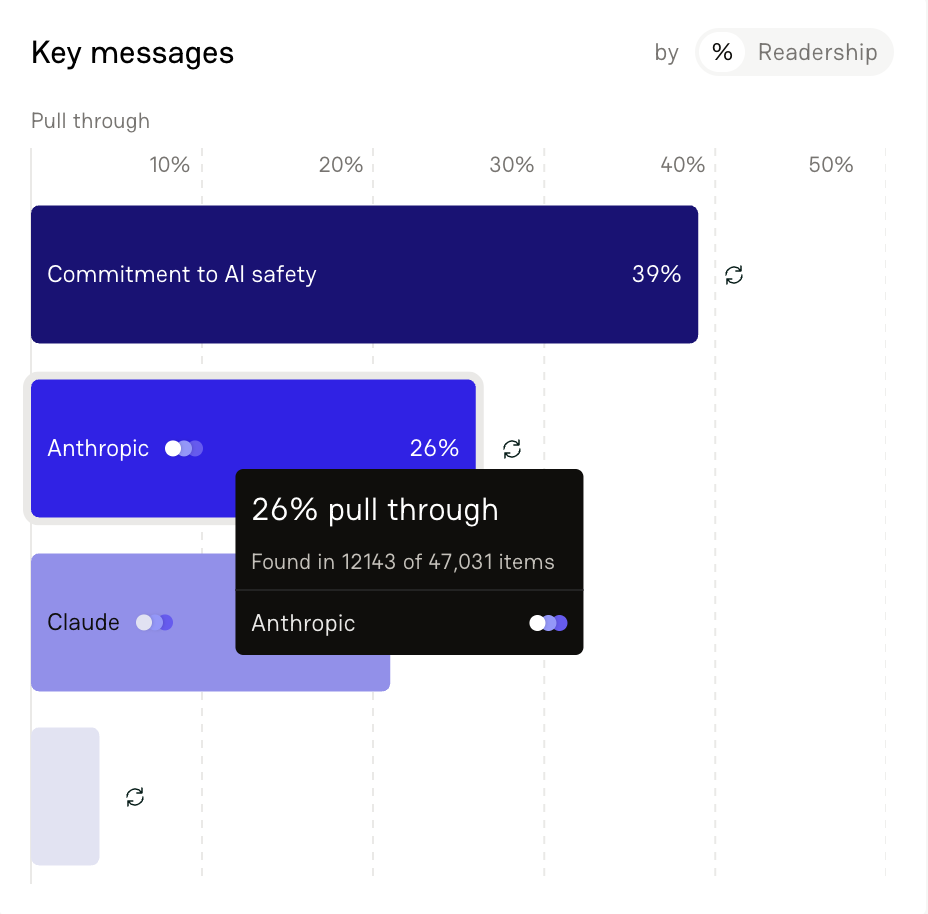
In dashboards:
Groups appear alongside individual Key Messages
Pull-through is calculated at the group level, allowing you to measure performance for an entire messaging pillar rather than a single message
This is especially helpful for teams managing multiple campaigns, products, or communications priorities simultaneously.
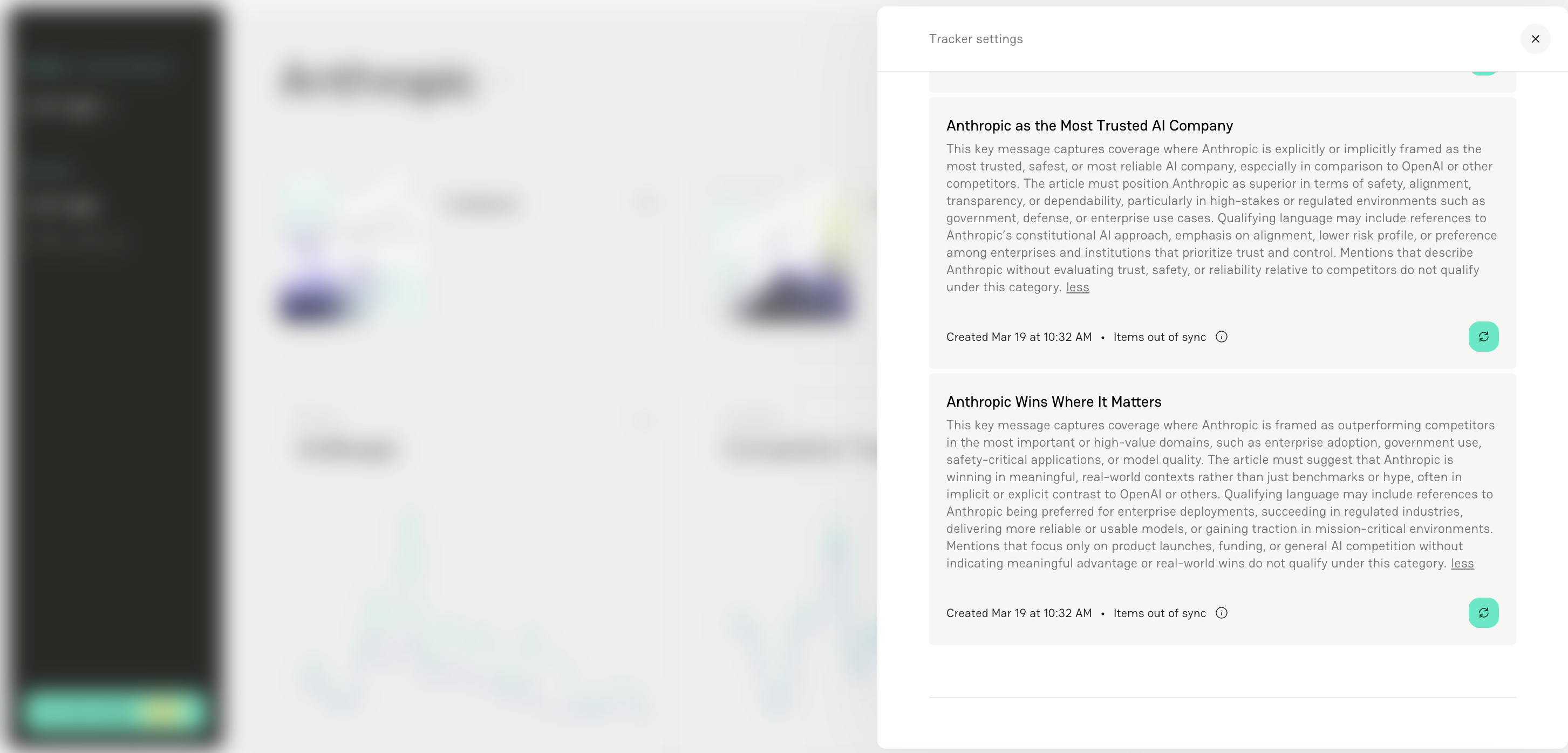
Adding More Detail to Your Key Messages
Key Messages aren’t static — you can evolve them as your messaging strategy changes.
Each Key Message can include a short title.
This is used for display purposes (e.g., dashboards and charts)
It should be short and descriptive
It does not impact analysis
Keep titles concise and aligned to the core idea of the message.
You can include a longer description that outlines:
What qualifies as a valid match
The types of language or examples that should be included
What should not count as a match
This allows you to be much more specific about how your message is interpreted.
For example, instead of just tracking:
“Acme wins where it matters”
You can define what “winning” actually means — such as enterprise adoption, performance in real-world use cases, or preference in regulated industries — and clarify that general mentions or hype without real-world impact shouldn’t count.
This added context helps ensure that matches are:
More accurate
More consistent
Better aligned with your actual communications goals
In short, the more clearly you define the intent behind your message, the more meaningful your results will be.
Reanalyzing Coverage
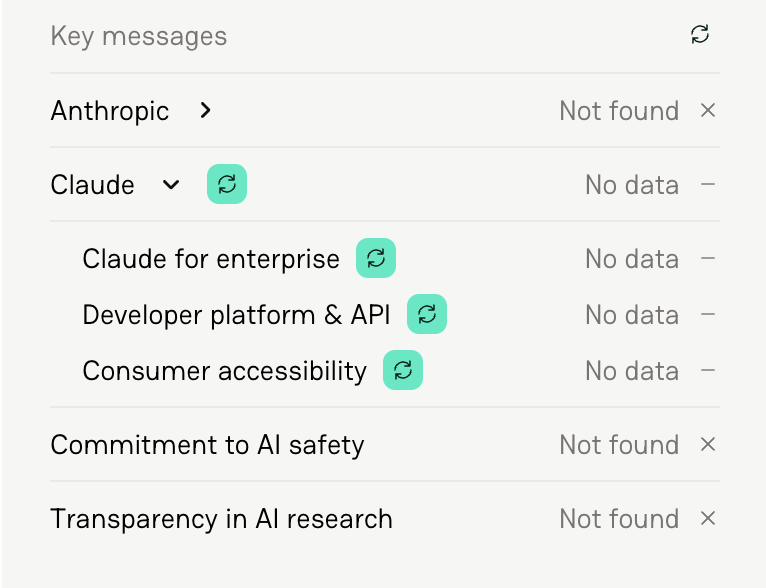
When you add or update a Key Message, previously tracked articles may show “No Data.”
This simply means the article was tracked before the message existed (or before it was updated), so it hasn’t been analyzed for that message yet.
You have two options:
Reanalyze Individual Articles
Open the article
Click the Reanalyze icon
Delve will evaluate that article for the updated message
Reanalyze in Bulk
Go to Tracker Settings → Key Messages
Click the Reanalyze icon
Choose a timeframe (e.g., last 2 days, last week)
Apply changes across multiple articles at once
You can also trigger reanalysis directly from the dashboard.
FAQs
1. What is a Key Message in Delve?
A Key Message is a collection of sentences that defines how you want your company, product, or strategy to be positioned in coverage. Delve evaluates whether that message is reflected in tracked articles.
2. Do Key Messages rely on exact keyword matching
No. Delve looks at the intent and context behind your message — not just exact wording — to determine whether it’s present in coverage.
3. What makes a strong Key Message?
A strong Key Message is clear, specific, and reflects real positioning. It should describe how you want to be talked about — not just list keywords.
4. What is the difference between a Key Message and a Topic?
Topics track mentions of specific terms (like a name or product). Key Messages evaluate whether a broader idea or narrative is present in the coverage.
5. Can I edit a Key Message after creating it?
Yes. You can update your Key Messages at any time as your strategy evolves.
6. What happens when I update or add a Key Message?
New or updated messages will apply to coverage moving forward. Previously tracked articles may show “No Data” until they are reanalyzed.
7. What does “No Data” mean?
It means the article was tracked before the Key Message existed or was updated, so it hasn’t been analyzed for that message yet.
8. How do I reanalyze coverage for a Key Message?
You can reanalyze individual articles or select a timeframe to reanalyze multiple articles at once from your Key Message settings or dashboard.
9. Does reanalyzing coverage affect my usage?
Yes. Reanalysis counts toward your monthly tracked item allotment.
10. What is the Key Message title used for?
The title is for display purposes only (e.g., dashboards). It does not affect how the message is analyzed.
11. How many Key Messages should I create?
We recommend starting with 3–7 focused messages that reflect your core communications strategy.
12. What is a Key Message Group?
A Key Message Group is a collection of related Key Messages organized under a shared theme or messaging pillar. Delve continues evaluating each message individually while also measuring pull-through at the group level.