Project Setup
Setting up your project correctly is one of the most important steps in Delve. It only takes a few minutes, but what you configure here directly impacts the coverage analysis and how Delve generates reports.
There are three main areas to pay attention to in Project Settings: your Project Title, your Subject, and your Competitors. The title is flexible. The subject and competitors directly shape your analysis — so it’s important to set them thoughtfully.
How to Access Project Settings
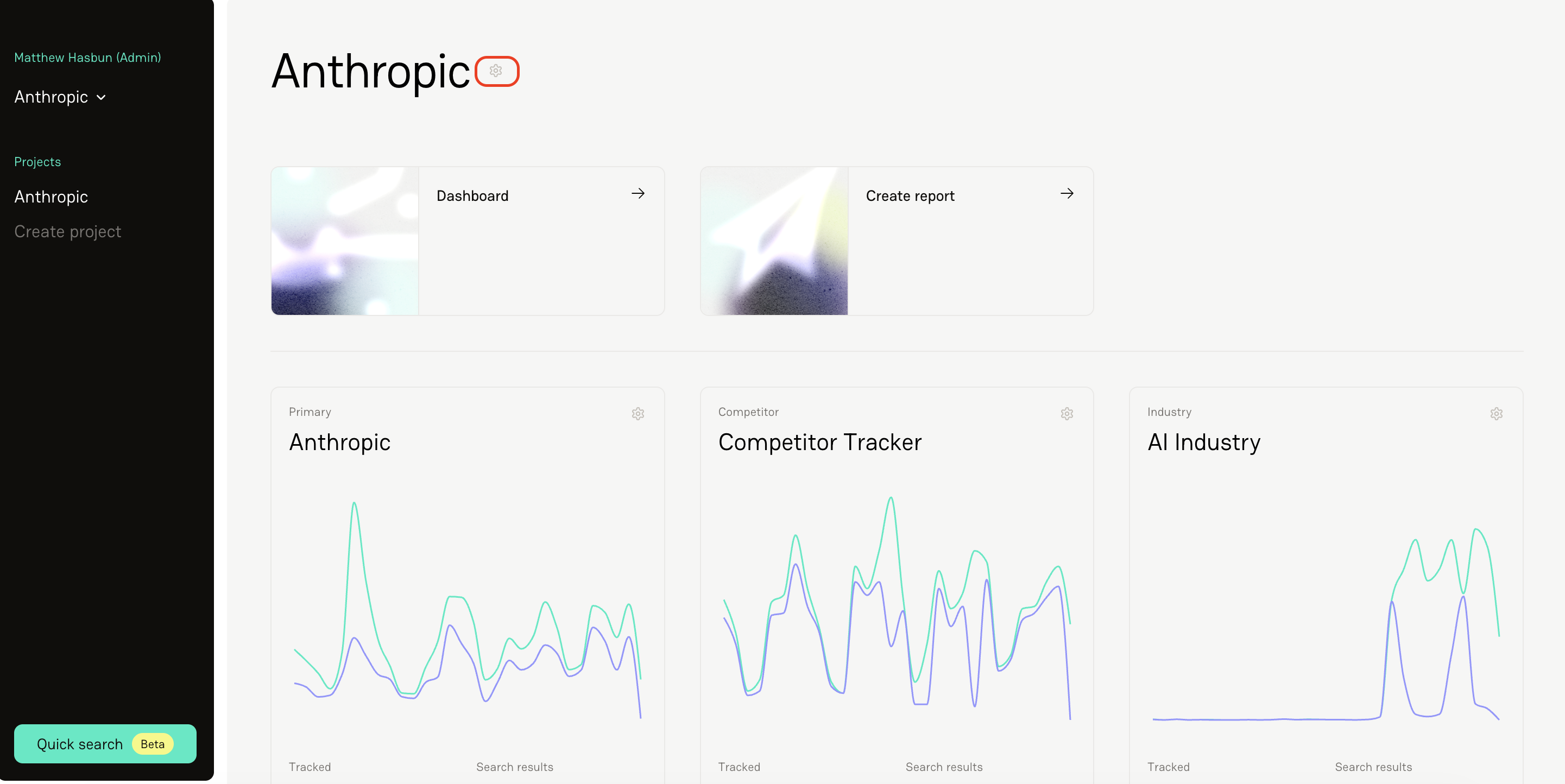
Click the gear icon in the top navigation (anywhere you see a gear icon in Delve, that’s your settings).
You’ll land in your Project Settings view.
Understanding Project Title vs. Subject
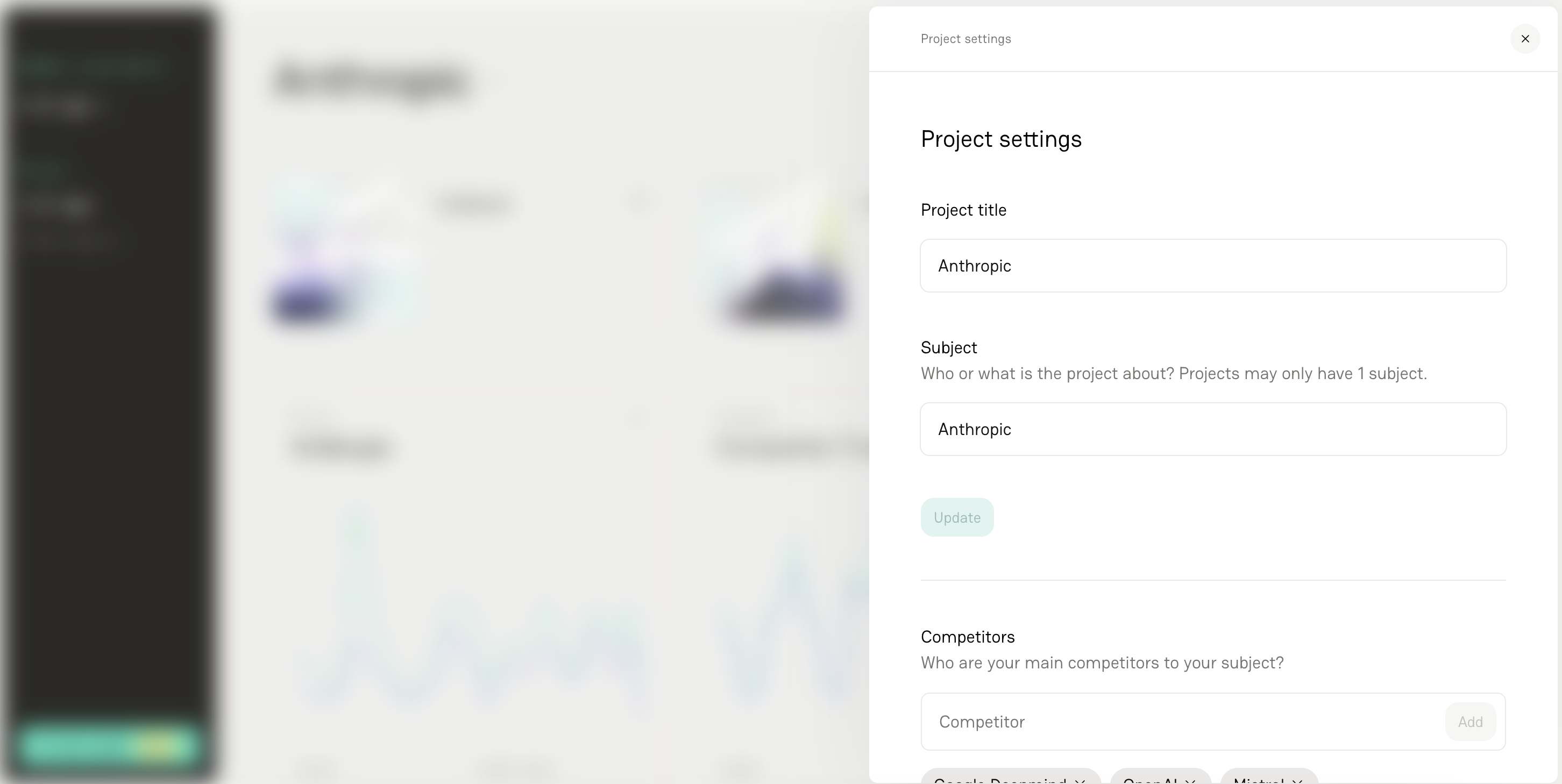
Inside Project Settings, you’ll see two key fields:
Project Title
This is the name displayed within Delve.
It only impacts what you see in the interface.
You can update this to whatever makes sense for your team (e.g., campaign name, client name, internal code name).
Changing the title does not impact analysis.
Subject
The Subject is what Delve uses for the analysis every time:
An article is tracked
A report is generated
This field provides core context for how coverage is interpreted and categorized.
Important: Changing the subject slightly will impact analysis going forward, which can affect how coverage is evaluated and summarized.
If you’re considering updating the Subject:
Pause before making changes.
Reach out to the Delve team so we can review the potential impact with you.
Adding and Managing Competitors
You can also add competitors in Project Settings — and you can include as many as you’d like.
Here’s how to think about it:
Add your direct competitors.
Add smaller companies you want to keep an eye on.
Add aspirational competitors you benchmark against.
Add contemporaries in your space.
Don’t worry about adding “too many.” You can always filter later to create specific views — for example, if you only want to compare head-to-head with one competitor.
Important: Competitors Impact Analysis in Real Time
Whatever competitors are currently listed in your settings are what Delve uses for analysis when you track an article.
If you remove a competitor, they are immediately removed from all future analysis.
If you track an article while “ACME” is listed as a competitor, it will be included in that analysis.
If you then remove “ACME” and track another article, ACME will no longer be part of the analysis going forward.
In short: your live competitor list directly shapes your reporting at the moment coverage is tracked.
FAQS
1. Can I rename my project anytime?
Yes. The Project Title is purely organizational and won’t impact reporting or analysis.
2. What happens if I change the subject?
Changing the Subject can significantly alter how coverage is interpreted in reports. Always check with the Delve team before updating it.
3. How many competitors should I add?
Most brands track at least three, but there’s no strict limit. Add anyone you want to track — you can always filter views later to focus on specific comparisons.
4. If I add or remove a competitor, does it update all of my coverage?
No - Changes to settings apply to coverage you track in the future, but does not update historical data.
5. I’m not sure how to define my subject or competitor set — what should I do?
Reach out to the Delve team. We’re happy to help you structure your project settings to ensure the most accurate and useful analysis.